Do You Need a Paid Password Manager or Is Free Enough?
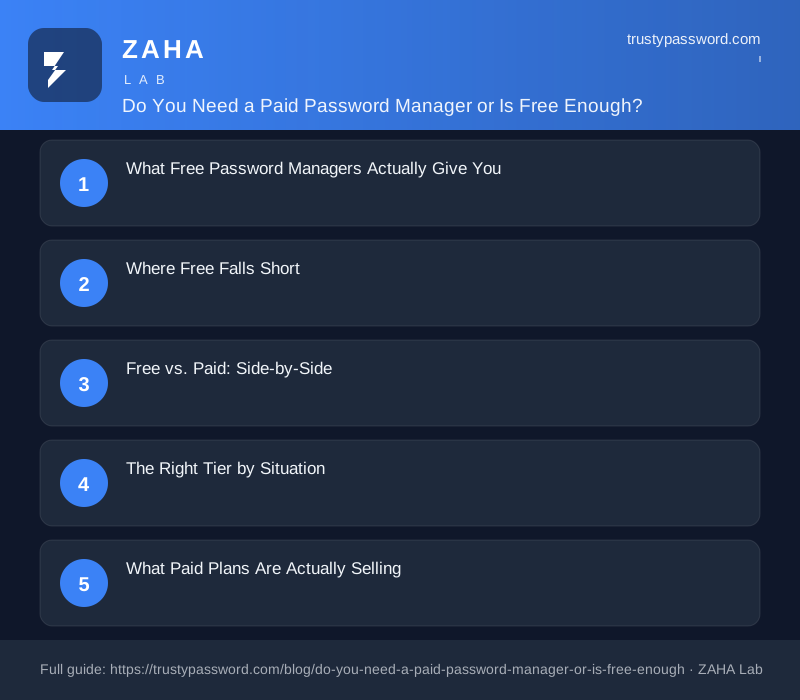
For most people, free is enough. If you're a single user who wants strong, unique passwords across your devices, the free tier of any major manager covers everything you need. Pay only when you hit a specific feature wall.
What Free Password Managers Actually Give You
Free tiers have improved dramatically over the past few years. The core functionality, the thing that actually protects you, is not locked behind a paywall.
What you get at no cost:
- - Unlimited password storage, Bitwarden free has no cap.
- - AES-256 encryption, same algorithm as the paid version.
- - Browser autofill, works in Chrome, Firefox, Safari, and Edge.
- - Strong password generator, one-click, customizable length and complexity.
- - Multi-device sync, Bitwarden free syncs across all your devices with no restrictions.
- - Secure notes, store Wi-Fi credentials, software keys, and recovery codes.
The honest position: a free password manager is vastly better than reusing passwords or keeping a spreadsheet. If free gets you started, free is the right choice.
Where Free Falls Short
Free tiers draw a clear line once your situation becomes more complex.
Secure sharing
Sending a login to a partner, family member, or colleague securely is a paid feature on most platforms. Free tiers either block it entirely or limit sharing to one other person. If you manage shared household logins or work credentials with a partner, this is the clearest reason to upgrade.
Emergency access
The ability to designate a trusted person who can request vault access if you're incapacitated is a premium feature on every major manager. Low priority for a single person with no dependents. High priority for anyone else.
Advanced two-factor authentication
Free plans support authenticator apps and SMS. Hardware key support, YubiKey, FIDO2 keys, Titan Security Key, is gated behind paid plans almost everywhere.
Dark web monitoring
Automatic breach alerts when your credentials appear in a data dump are a paid add-on. You can replicate this for free with Have I Been Pwned email alerts, but that requires manual setup.
Encrypted file storage
Storing passport scans, insurance cards, or sensitive documents inside your vault is a paid feature on Bitwarden and 1Password. KeePass supports file attachments for free if you're comfortable self-hosting.
Free vs. Paid: Side-by-Side
| Feature | Free | Paid (Personal) |
|---|---|---|
| Unlimited passwords | Yes (Bitwarden, KeePass) | Yes |
| Multi-device sync | Yes (Bitwarden) | Yes |
| Secure password sharing | Limited or none | Yes |
| Emergency access | No | Yes |
| Hardware key (YubiKey/FIDO2) | No | Yes |
| Encrypted file storage | No | Yes |
| Dark web monitoring | No | Yes |
| Priority support | No | Yes |
| Audit logs (team use) | No | Yes |
| Typical price | $0 | $10–$36/year |
The price gap is small, $10/year for Bitwarden Premium, up to $36/year for 1Password individual. The real question is whether you actually use the upper-tier features, not whether you can afford them.
The Right Tier by Situation
Single person, one ecosystem (all Apple or all Google): The built-in manager from Apple or Google is genuinely sufficient. It's encrypted, synced, and requires zero setup. Pay for nothing extra unless you want to break out of that ecosystem.
Single person, cross-platform: Bitwarden free. It works across every browser and OS, has no password or device cap, and the open-source codebase has been independently audited. Hard to beat for zero dollars.
Couple or family: Paid family plans run $40–$60 per year and cover five to six users. For shared streaming, utilities, and joint accounts, this is the most convenient solution by a wide margin.
Freelancer or remote worker handling client credentials: Paid personal plan at ~$3/month. The secure sharing and emergency access features justify the cost once you're managing credentials for more than yourself.
Small business: Business plan with audit logs and user management. This is not optional if you need to revoke access cleanly when someone leaves.
What Paid Plans Are Actually Selling
Paid personal plans mostly sell convenience, not unique capability. Most individual features have free workarounds:
- - Dark web monitoring → free via Have I Been Pwned alerts
- - Encrypted notes → free in Bitwarden or KeePass
- - Cross-device sync → free in Bitwarden
The one exception with no good free equivalent is live credential sharing, where both parties see the same credential and updates propagate automatically. Texting passwords is insecure. Email is worse. A shared vault entry that both people can read and neither can accidentally corrupt is genuinely valuable, and there's no clean free substitute.
Frequently Asked Questions
Is the free version of Bitwarden actually as secure as paid? Yes. Bitwarden is open source and has been independently audited. Free and paid tiers use the same AES-256 encryption and zero-knowledge architecture. The audit found no critical vulnerabilities. "Free" here means fewer features, not weaker security.
Can I trust the password manager built into Chrome or Safari? For single-ecosystem users, yes. Chrome Passwords and iCloud Keychain are encrypted and reasonably secure. The limitation is portability, switching browsers or operating systems outside that ecosystem breaks smooth access. For a dedicated cross-platform setup, use Bitwarden instead.
What happens to my vault if the password manager company shuts down? Export your vault as a CSV or JSON file periodically, every reputable manager supports this. Bitwarden is open source, so the software itself cannot disappear even if the company did. KeePass keeps everything in a local file you own outright. Never rely solely on a cloud-synced vault with no local backup.
Does paying for a password manager mean I won't get hacked? No. A manager prevents weak and reused passwords, which are two of the most common breach vectors. But if you reuse your master password, skip two-factor authentication, or install malware, no tool fully protects you. The manager is one layer of defense, not the whole stack.
Is a family plan worth it for just two people? Marginally. Two individual Bitwarden free plans plus a shared secure note in an encrypted app is often enough for a couple. The family plan pays off at three or more people sharing credentials regularly, or when you want clean vault separation and one subscription to manage.
What's the biggest mistake people make after setting up a password manager? Using a weak or reused master password. Your vault is only as strong as the one password protecting it. Use a long passphrase, four random words, something genuinely memorable, and enable two-factor authentication on the manager itself. Do not reuse this password anywhere.
Concrete Next Steps
If you have no password manager today: Install Bitwarden free. Add the browser extension, import saved passwords from Chrome or Safari, and generate fresh strong passwords for your five most-sensitive accounts: email, bank, primary social, work login, and anything financial. Under an hour, zero cost.
If you're on free and wondering whether to upgrade: Check whether any of these three apply, you want to share a password securely with someone, you want to set up emergency access for a family member, or you want hardware key 2FA. If none of those apply, stay free.
If you're managing a household: Bitwarden Families at $40/year or 1Password Families at $60/year. Both cover six users with shared vaults and clean sharing flows. Compare that to two individual paid plans.
If you're self-hosting or technically inclined: Vaultwarden (an unofficial Rust implementation of Bitwarden's server) gives you full Bitwarden functionality on your own hardware at zero subscription cost. KeePass with Syncthing is another zero-cost option with no external dependencies.
For generating strong passwords right now, no account required: titanpasswords.com, trustypassword.com, securekeygenerator.com, and bestpasswordgenerator.org all run in your browser with no signup. Use one while you're setting up your manager to replace any weak existing passwords immediately.
The short answer holds: free is enough for most individuals. Pay when you need to share credentials securely, want emergency access configured, or are managing more than yourself. The price gap is small and the features are specific, match the tier to the actual problem you have, not a vague worry about whether free is "good enough."
© 2026 TrustyPassword.com: Anti-phishing credential guard and security guides